

How do I reset a digital air fryer?
Jul 16, 2025
Leave a message
As a supplier of digital air fryers, I often receive inquiries from customers about how to reset their air fryers. Resetting a digital air fryer can be a simple process that helps resolve various issues, such as error messages, incorrect settings, or unresponsive controls. In this blog post, I'll guide you through the steps to reset different types of digital air fryers and provide some troubleshooting tips along the way.
Why Reset a Digital Air Fryer?
Before diving into the reset process, let's understand why you might need to reset your digital air fryer. Here are some common reasons:

- Error Messages: If your air fryer displays an error code on the digital screen, resetting it can sometimes clear the error and restore normal operation.
- Incorrect Settings: Maybe you accidentally set the wrong temperature or time, and you want to start fresh with the default settings.
- Unresponsive Controls: If the control panel of your air fryer is not responding to your touch or button presses, a reset can often fix the issue.
- Power Outages: A sudden power outage can disrupt the internal settings of your air fryer. Resetting it after a power outage ensures that it functions properly.
Types of Digital Air Fryers
Digital air fryers come in various sizes and models, each with its own reset process. Here are some popular models we offer as a supplier:
- 15L Air Fryer Oven: This large-capacity air fryer is perfect for families or those who like to cook in bulk.
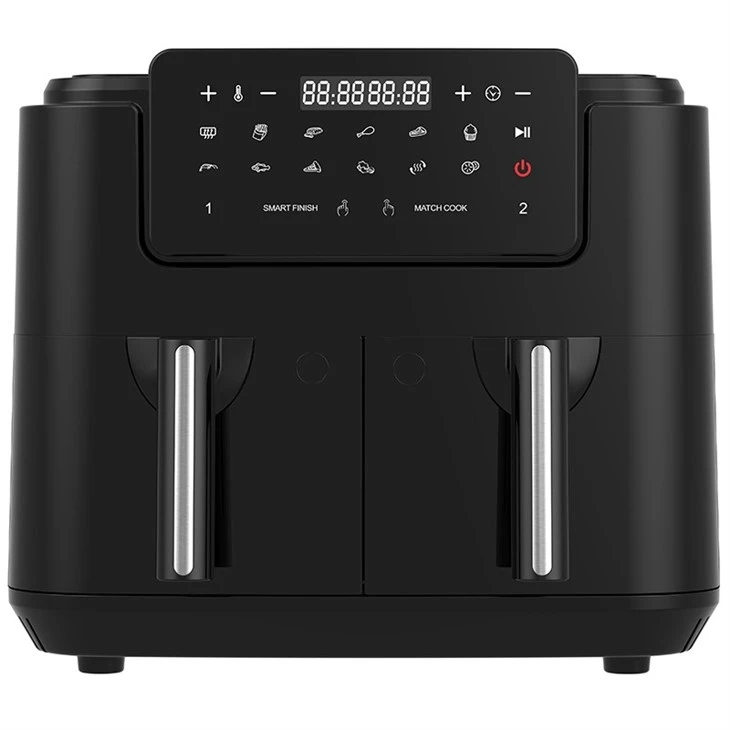
- 10L Digital Dual Air Fryer: With two separate compartments, you can cook different foods at different temperatures simultaneously.
- 12L Air Fryer Oven: A versatile air fryer that offers a good balance between capacity and countertop space.
How to Reset a Digital Air Fryer
The reset process may vary depending on the brand and model of your air fryer. However, most digital air fryers can be reset using one of the following methods:
Method 1: Power Cycle
This is the simplest and most common way to reset a digital air fryer. Here's how to do it:
- Turn Off the Air Fryer: Press the power button on the control panel to turn off the air fryer.
- Unplug the Air Fryer: Disconnect the power cord from the electrical outlet.
- Wait for a Few Minutes: Leave the air fryer unplugged for at least 5 minutes to allow the internal components to fully reset.
- Plug in the Air Fryer: Reconnect the power cord to the electrical outlet.
- Turn On the Air Fryer: Press the power button to turn on the air fryer. It should now be reset to its default settings.
Method 2: Reset Button
Some digital air fryers have a dedicated reset button. This button is usually located on the back or bottom of the air fryer. Here's how to use it:
- Locate the Reset Button: Refer to your air fryer's user manual to find the location of the reset button.
- Press the Reset Button: Use a small, pointed object, such as a paperclip or a toothpick, to press and hold the reset button for a few seconds.
- Release the Reset Button: Once you've held the button for the specified time, release it.
- Turn On the Air Fryer: Press the power button to turn on the air fryer. It should now be reset.
Method 3: Factory Reset
If the above methods don't work, you may need to perform a factory reset. This will restore your air fryer to its original settings, erasing any custom settings you've made. Here's how to do it:
- Turn Off the Air Fryer: Press the power button on the control panel to turn off the air fryer.
- Unplug the Air Fryer: Disconnect the power cord from the electrical outlet.
- Press and Hold the Reset Button: While the air fryer is unplugged, press and hold the reset button (if available) or a combination of buttons as specified in the user manual.
- Plug in the Air Fryer: While still holding the button(s), reconnect the power cord to the electrical outlet.
- Release the Button(s): After a few seconds, release the button(s). The air fryer should now be reset to its factory settings.
Troubleshooting Tips
If you're still having trouble resetting your digital air fryer or if it continues to malfunction after resetting, here are some troubleshooting tips:
- Check the Power Supply: Make sure the power cord is properly plugged into the electrical outlet and that the outlet is working. You can try plugging the air fryer into a different outlet to rule out any issues with the power supply.
- Clean the Air Fryer: A dirty air fryer can cause various problems, including error messages and unresponsive controls. Refer to your air fryer's user manual for instructions on how to clean it properly.
- Update the Firmware: Some air fryers can be updated with the latest firmware to fix bugs and improve performance. Check the manufacturer's website for any available firmware updates for your model.
- Contact Customer Support: If all else fails, don't hesitate to contact the manufacturer's customer support team. They can provide you with further assistance and troubleshooting steps.
Conclusion
Resetting a digital air fryer is a simple process that can help resolve many common issues. By following the methods outlined in this blog post, you should be able to reset your air fryer and get it back to working order in no time. If you have any further questions or need assistance with your air fryer, please don't hesitate to contact us. We're here to help you make the most of your air frying experience.
As a leading supplier of digital air fryers, we offer a wide range of high-quality products to meet your cooking needs. Whether you're looking for a large-capacity air fryer for your family or a compact model for your apartment, we have the perfect solution for you. If you're interested in purchasing one of our air fryers or have any questions about our products, please feel free to reach out to us for a purchase negotiation. We look forward to working with you!
References
- Manufacturer's user manuals for digital air fryers.
- Industry best practices for troubleshooting and resetting electronic appliances.